
Jira is one of the most powerful tools for managing projects, but as Agile teams grow, its default setup often begins to reveal its limitations. It works well for tracking issues; the backlog, progress, and dependencies are all there. However, once the teams outgrow Jira’s default setup, project management becomes difficult to scale.
Sooner or later, all project managers notice these limitations. Some adapt, others seek alternatives. But these are not failures of Jira; they are just limitations of a one-size-fits-all system. Fortunately, project managers do not have to deal with it. Jira plugins for project management act as enablers, extending Jira into a more complete system. They do not add complexity. Instead, help teams simplify workflows, improve visibility, and collaborate more effectively.
Why Jira Alone Isn’t Enough for Growing Agile Teams
The best advantage of using Jira is its flexibility, but it comes with a caveat. Without structure, this flexibility can lead to inconsistencies, fragmented workflows, and chaos.
As agile teams grow, the way Jira is used often evolves organically. Once a simple and efficient setup feels overwhelming and difficult to manage as more team members, projects, and workflows are introduced. Different teams begin to adapt Jira to their own needs, leading to inconsistencies in how work is created, tracked, and reported.
Over time, small differences add up. Repetitive issue creation slows teams down. Unclear structures make collaboration harder. Limited visibility across projects affects decision-making.
These challenges make one thing clear – while Jira is a powerful tool, it’s not always enough for managing growing projects.
Turning Jira Into a Scalable Project Management System
Scaling Jira is not about adding complexity but about introducing the right tools and the right structure. There is no single answer or solution that fits all teams; the secret recipe is choosing Jira plugins for Project management that help address the gaps, enabling teams to build a system that supports both daily execution and long-term planning.
Reducing Repetition in Daily Workflows
One of the most repetitive tasks is issue creation. Experience shows that many teams share the same struggle when it comes to it. Software development teams repeatedly create similar issues – bugs, tasks, and stories.
At the beginning of a project or a sprint, everything looks well-organized. But as soon as team members start adding tickets, the issue arises. Teams repeatedly create the same tickets, bugs, tasks, and stories. This alone creates a few problems:
- Teams spend too much time creating tickets instead of working on the task.
- Tickets miss critical fields and important details.
- Each team member has their own way of writing tickets. As a result, there is variability in quality, some tickets are well-written, others are not.
This leads to slower sprint details and more back-and-forth clarifications.
One way teams address this is by using structured issue templates. Teams use a shared template for each type of ticket, and for a moment, it looks like that the issue is taken care of. But even in such cases, inconsistencies arise. Work is still manual, and, honestly, keeping the same standard long-term is hard.
To take it a step further and resolve the issue of inconsistency for good, teams often use tools like Issue Templates Pro to streamline issue creation in Jira.
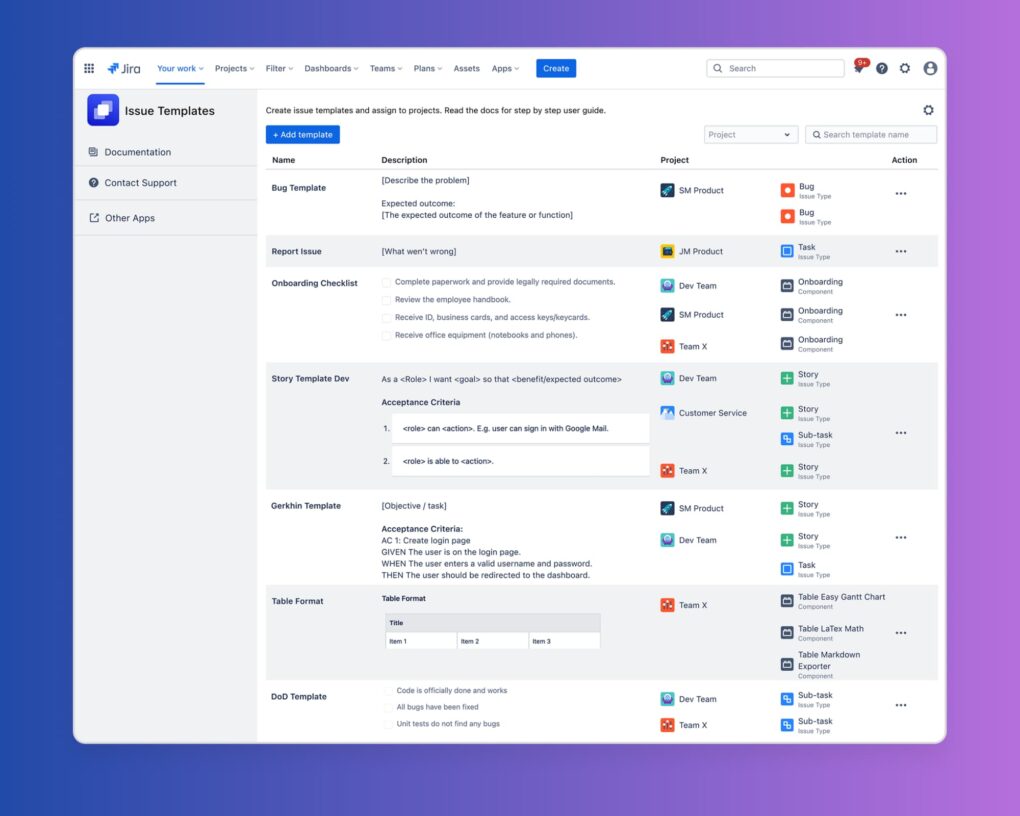
It allows users to create Jira templates for specific issue types across multiple projects. When someone creates a new issue, saved templates will automatically pre-fill based on the selected issue type. It solves a few issues at hand and teams always have the correct fields to fill, so they do not miss any important details. The need for manual formatting is eliminated, and issues are consistent across projects and boards.
Consistency = better project management. When every ticket follows the same structure, teams can move faster, make fewer mistakes, and spend more time focusing on actual delivery instead of clarifying missing information.
(Alongside internal efficiency, many organizations also adopt an outreach strategy for digital growth to boost external visibility and project impact)
Creating Structure and Collaboration Across Teams and Projects
Teams use a few different Jira boards and work on multiple projects simultaneously. A good example of such a team is a Quality Assurance team. QA engineers often work across multiple projects, but Jira doesn’t naturally connect testing efforts across boards. This limitation leads to:
- Slower sprint planning
- Reduced visibility
- Misalignment between teams
These are challenges that don’t just affect developers—they directly impact project delivery and decision-making.
To address this, some teams adopt tools that help connect work across projects. For example, AgileTest enables teams to link issues across multiple Jira projects and generate testing reports that extend beyond a single board.
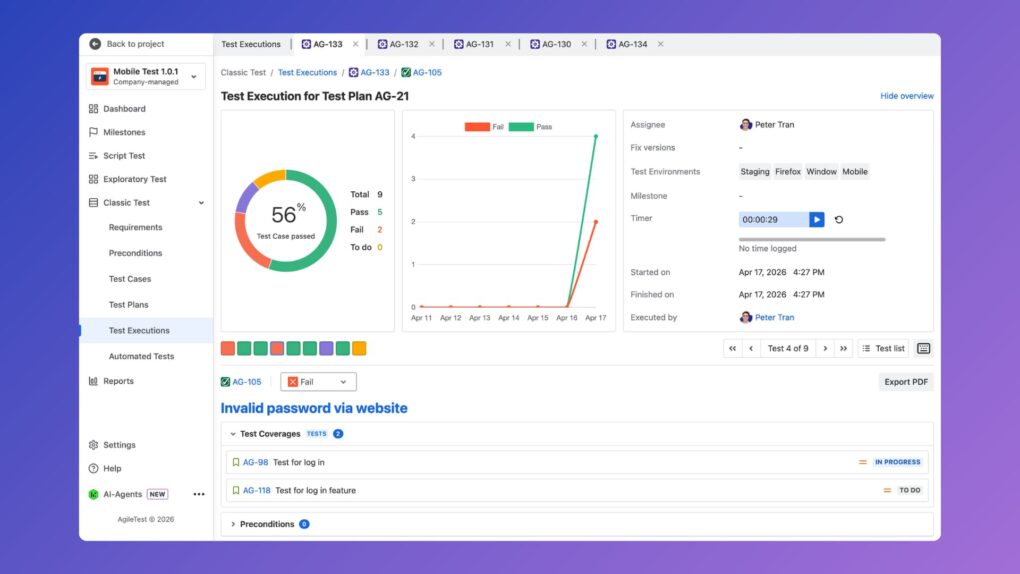
AgileTest improves cross-team collaboration by allowing users to link issues across projects and generate testing reports for issues in other projects. With its simple UI and straightforward features, AgileTest enables Jira users, whether developers, project managers, or beginners, to easily participate in software testing.
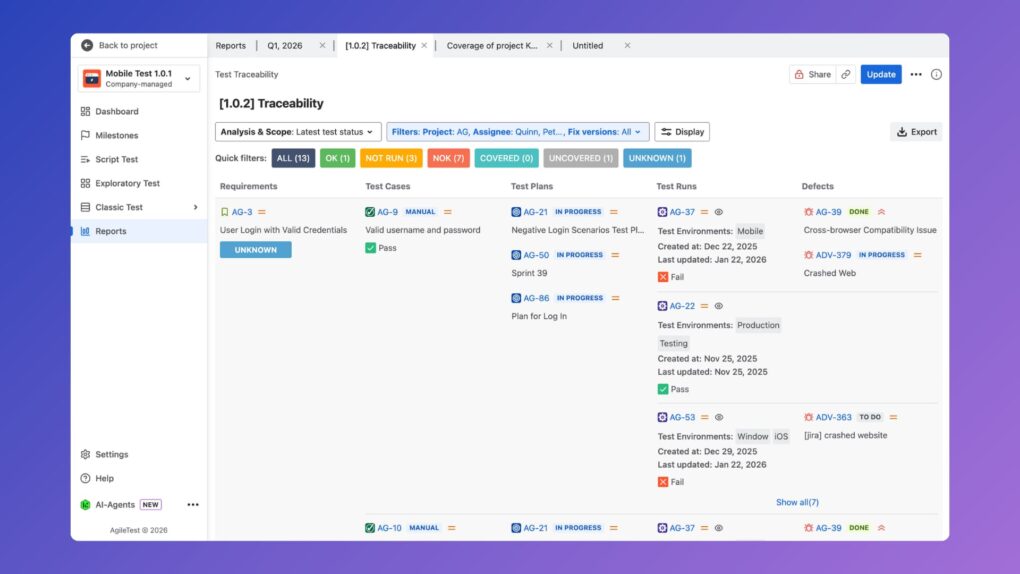
This creates a more unified view of testing efforts, making it easier to track progress and maintain alignment across teams.
With shared visibility and connected workflows, teams can collaborate more effectively, reduce communication gaps, and make more informed release decisions. Its simple UI also makes it accessible, not just for QA engineers, but for developers and project managers as well, ensuring broader adoption across teams.
Improving Visibility and Order in Project Organization
Another feature that often turns into failure is Jira labels. Here, too, everything goes well until team members start introducing new labels.
- Similar to issues, labels become inconsistent over time. It starts with just a few labels and ends with the same one written in slightly different ways—“Bug”, “bug”, “bugs”, “defect”, “issue”—just to name a few.
- There are duplicate or unclear names.
- There is no standard structure for naming labels.
This creates issues such as messy backlogs, harder filtering, and, in the end, poor reporting.
These issues make Agile project management in Jira a difficult task.
Structured label management tools help standardize usage. There are Jira plugins for project management that tackle this issue as well. One such tool is the Advanced Label Manager for Jira, which allows teams to organize, clean, and manage labels efficiently.
As a result, there is clear categorization, better reporting accuracy, and faster navigation across projects, which is crucial for Agile project management.
From Tool to System: Rethinking Jira plugins for Project Management
As teams grow relying on native jira alone is often not enough to maintain consistency and manage agile projects well. At that point Jira plugins for project management become essential.
By addressing specific challenges, such as repetitive issue creation, inconsistent labeling, and fragmented workflows, these tools help teams bring structure and clarity to their processes. Instead of adding unnecessary complexity, they enable teams to standardize how work is created, managed, and tracked across projects.
The key is not to rely on tools alone, but to use them intentionally. When Jira plugins are aligned with team workflows and goals, they transform Jira from a simple tracking system into a powerful, scalable platform for Agile project management.