
If your team delivers client work in Jira, this will probably sound familiar. Tasks live in Jira, the plan lives in a spreadsheet, hours go into a separate time tracker, and someone in finance rebuilds the numbers at month-end.
DevSamurai built PlanCore to close that gap. PlanCore is now available for Jira Cloud on the Atlassian Marketplace. It lets you manage projects, people, time and project finances in the same place your team already works.
Try PlanCore free on the Atlassian Marketplace
Why we built PlanCore
Most service teams we talk to don’t have a tooling problem so much as a joining-up problem. Each tool works fine on its own. The trouble starts in the gaps between them.
For example, on Monday, the project manager opens a spreadsheet to check who’s free and finds a designer booked on two projects at once. They only learn that a developer is on leave Thursday when it comes up in standup. By Friday, half the team hasn’t filled in their timesheets, so nobody can say whether the project is on budget.
None of that is anyone’s fault. It’s what happens when the plan, the hours and the costs sit in different places and get copied between them by hand. Every copy is a little out of date the moment it’s made.
Some teams fix part of this with Jira apps: one for resource planning, another for time tracking, maybe a third for cost reports. That helps, but it still means several setups to maintain and several places to check when the numbers don’t match.
So we asked a simple question. What if planning, time tracking and cost reporting all lived in one app and read from the same Jira work your team already updates every day? That’s PlanCore.
What PlanCore is
PlanCore adds a professional services layer on top of Jira.
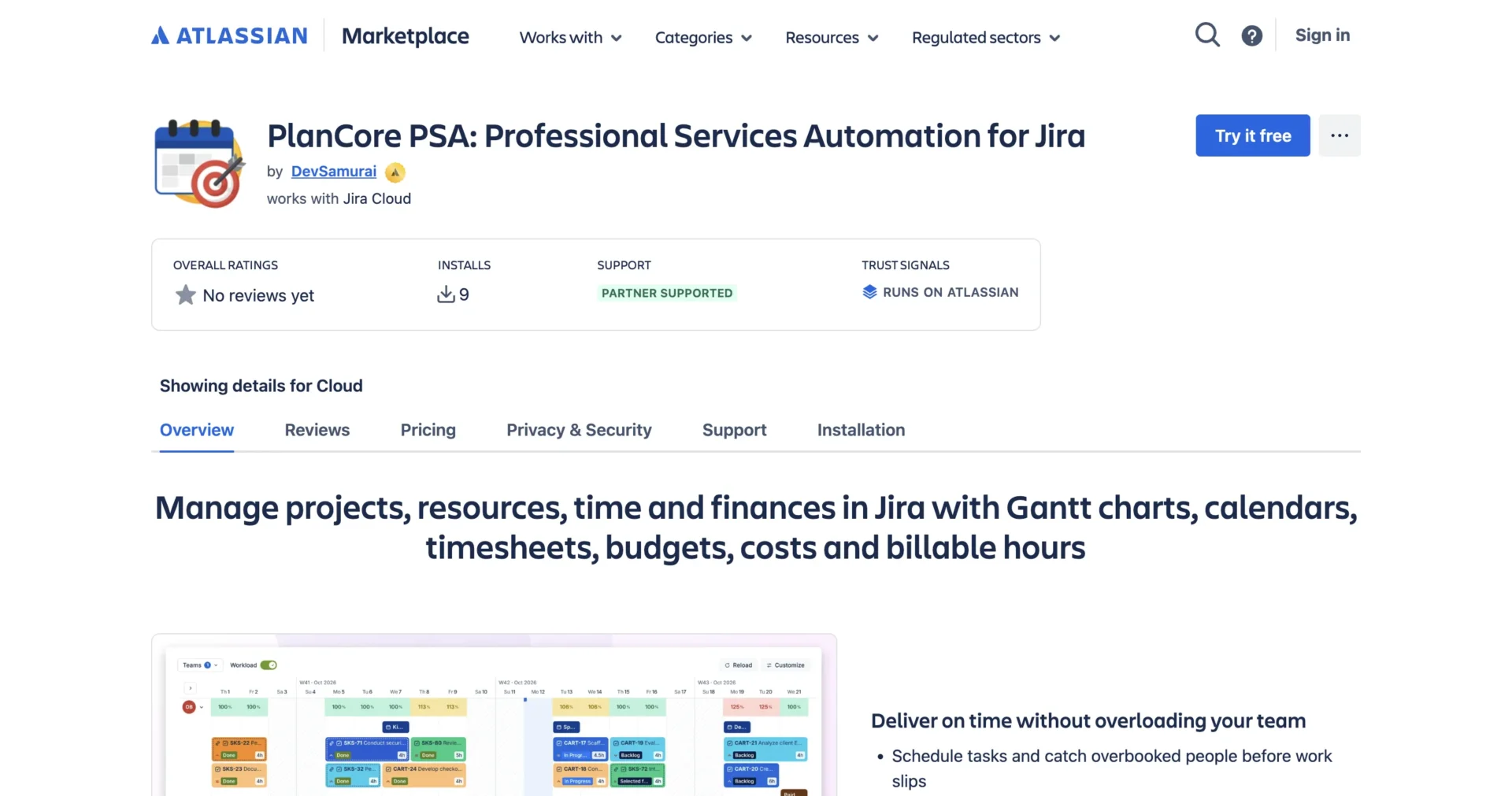
Your schedules are built from your existing Jira work items, and admins can map Jira date fields to schedule start and due dates. That way, your plans follow the dates your team already uses instead of a second set kept somewhere else.
It’s organized around four things services teams need to get right: knowing who’s available, planning the work, tracking the time spent, and understanding what it all costs. You don’t have to adopt everything on day one. Start with whichever part causes your team the most pain and add the rest when you’re ready.
Key features
Resource management
Everything starts with people. You can set up teams, and each person has a profile with their role, skills, and experience. That makes it easier to find the right person for a piece of work, rather than defaulting to whoever replies first.
Each person also has a working capacity. When you add leave, holidays or events, PlanCore adjusts that capacity automatically, so the schedule reflects real availability rather than an ideal week.
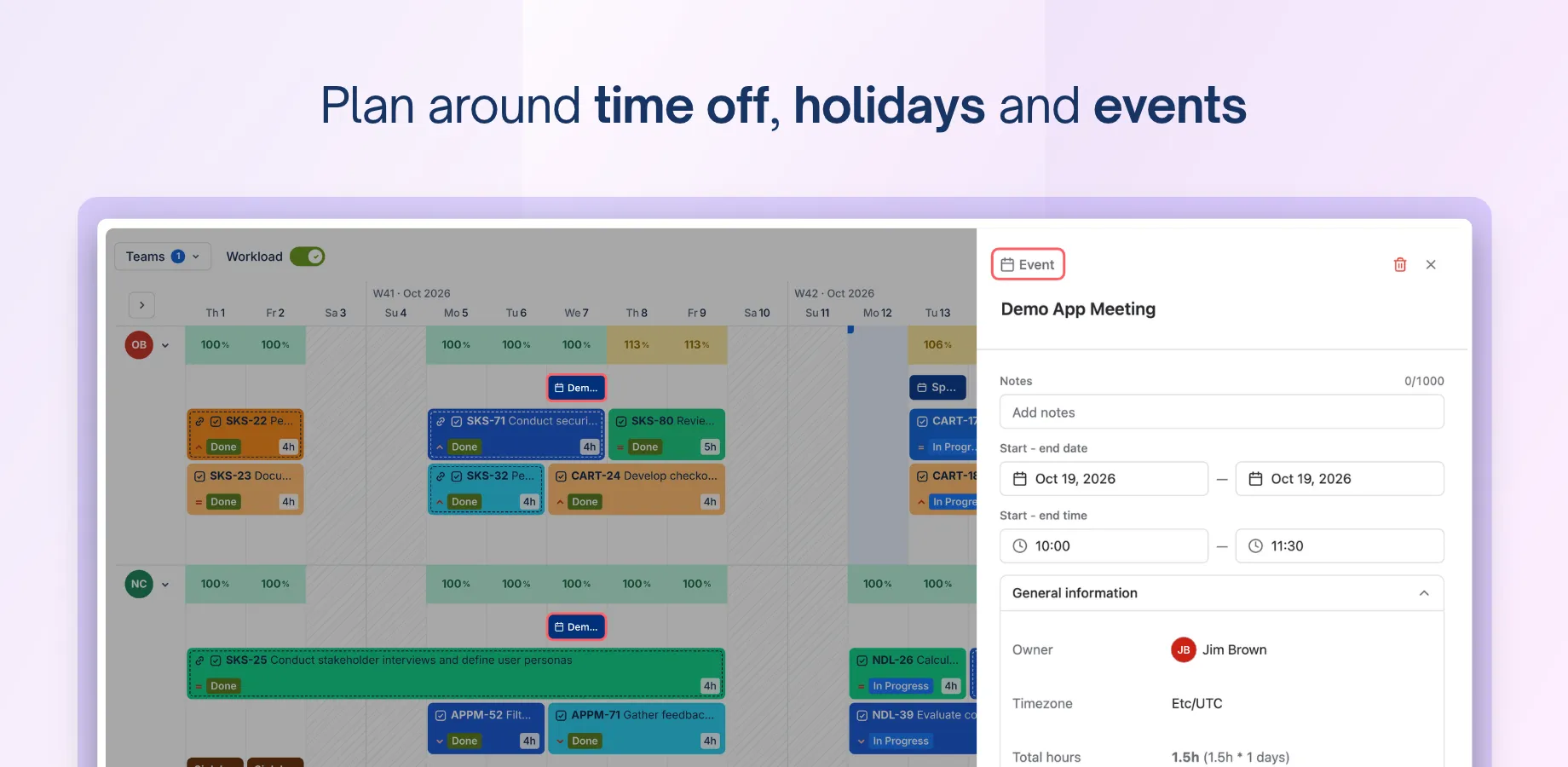
A practical tip: add upcoming leave and holidays before you start scheduling. It only takes a few minutes and saves you from planning work for someone who won’t be there.
Planning and scheduling
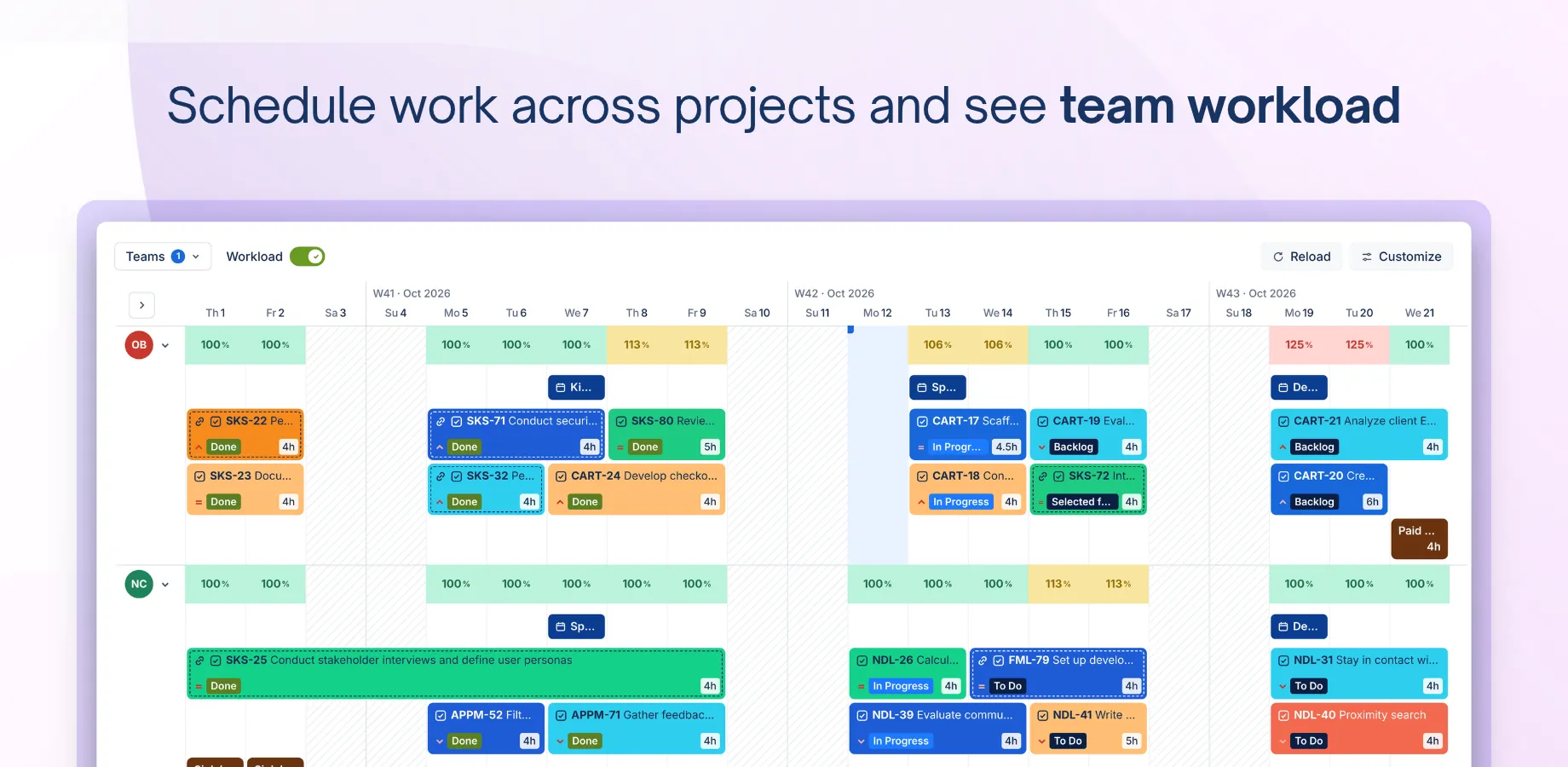
The schedule board is where most planning happens. You drag Jira work onto people and see each person’s workload straight away. If someone is overbooked next Tuesday, you’ll spot it while there’s still time to move things around.
For longer projects, there’s a Gantt chart with a Work Breakdown Structure. You can link dependencies between tasks, save a baseline, and later compare actual progress against it. That comes in handy when a client asks how far the project has drifted from the original plan.
Here’s a habit worth building. Save a baseline when the client signs off on the plan. Whenever scope changes later, you’ll have a clear before-and-after to point to, which makes those conversations a lot easier.
Time tracking and timesheets
People can log time against Jira work with a timer, enter hours manually, or fill in a weekly calendar, whichever suits how they work. Time can be logged against events too, not just tasks.
If your team is new to tracking time, the timer is the gentlest place to start: start it when you pick up a task, stop it when you’re done.
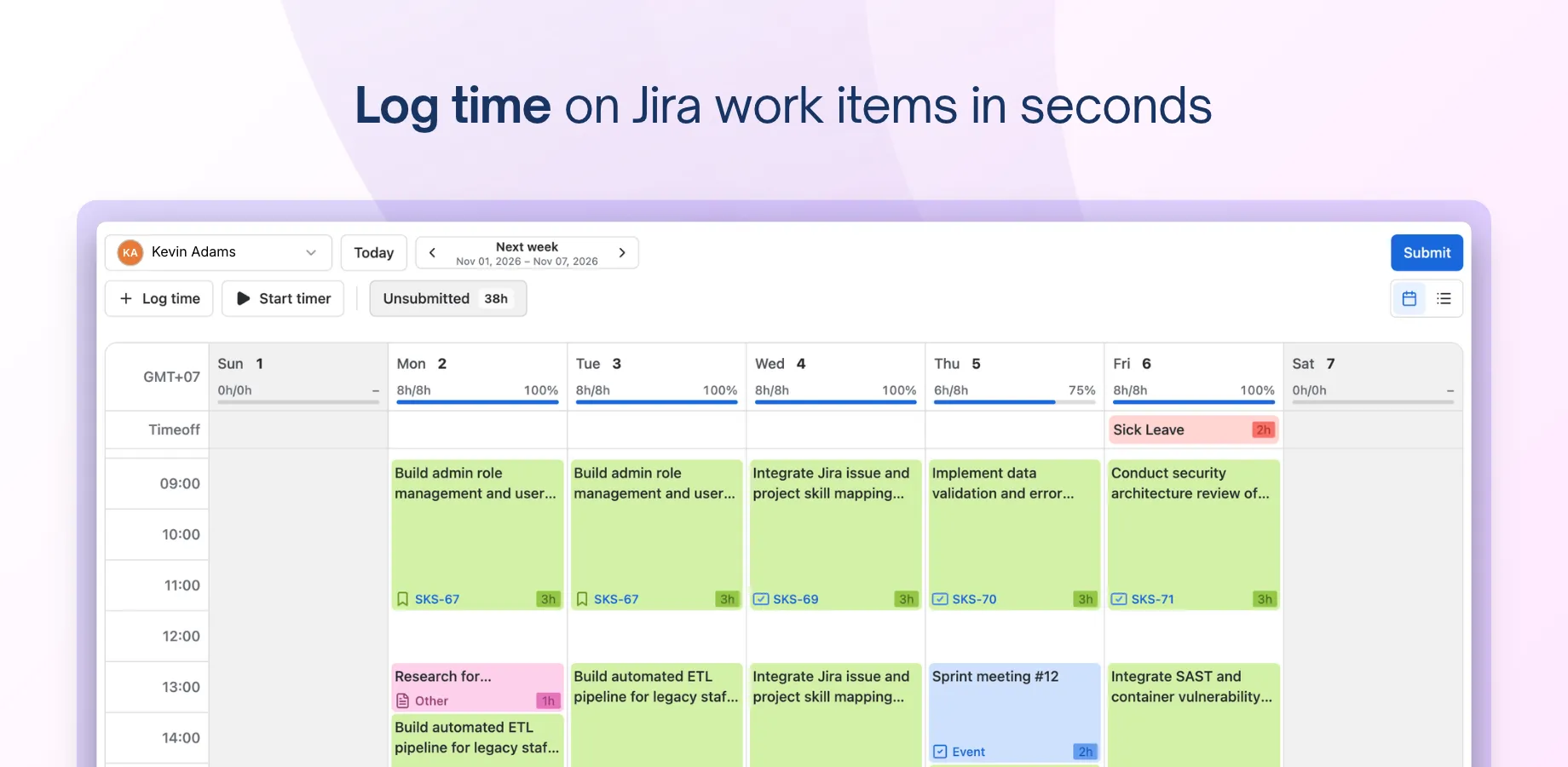
At the end of the week, team members submit their timesheets, and managers review, approve or reject them in one place. No more chasing hours across chat threads on a Friday afternoon.
Costs, billing and reporting
You can set a billable rate and an internal cost for each team member.
Combine those with logged hours and PlanCore shows planned versus actual hours and costs by person, team or project, along with billing and margin reports for each project.
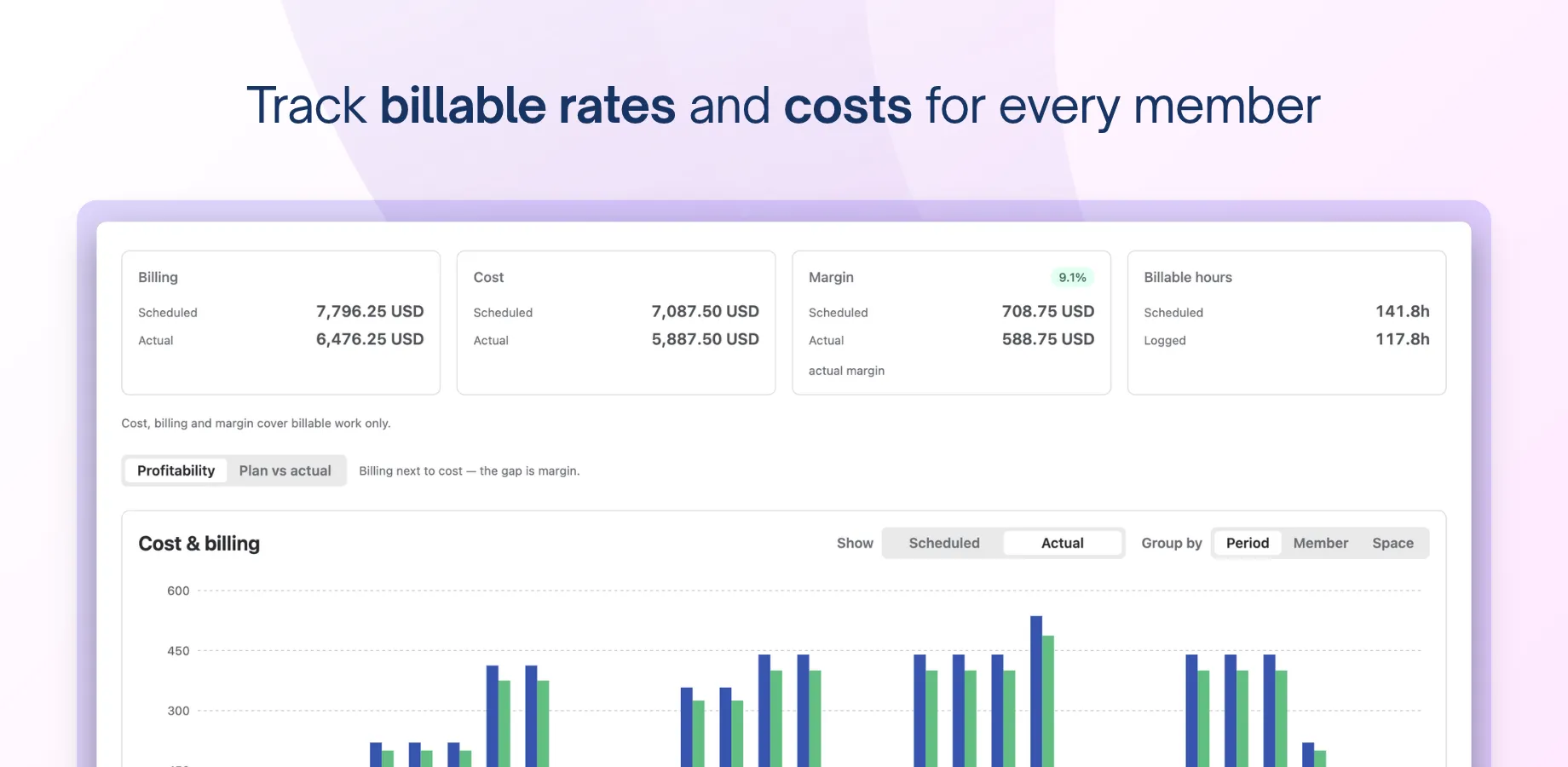
Say you’ve quoted a fixed fee for a website build. If logged hours start running ahead of plan halfway through, you’ll see the margin shrinking while there’s still time to talk to the client about scope, not after the invoice has gone out.
Dashboards bring it all together with customizable widgets that update from live data. A quick look tells you whether the team is stretched thin or has room for that new request.
Who PlanCore is for
PlanCore is built for anyone who plans, staffs or reports on delivery work in Jira.
- Project managers get one view of the plan, the people and the progress.
- Team leads can balance workload before anyone burns out.
- Resource managers can see capacity across teams and staff new work by skills and availability.
- PMOs get a consistent way of planning across projects.
- Finance teams get hours, rates and margins without waiting for someone to export a spreadsheet.
In practice, that’s a good fit for agencies, consultancies and IT services firms. It also suits internal delivery teams that run billable or client-facing work in Jira.
Try it on one project this week
The best test of PlanCore is your own work. Pick one project, add the people and their leave, and drag this week’s Jira work onto the schedule board. By Friday you’ll have planned and actual hours side by side, and a clearer picture of that project than any spreadsheet has given you.
No big rollout needed. PlanCore works with the Jira projects you already have, and our Getting Started guide covers setup step by step.
Tell us what you’d like PlanCore to do next. And if you have any inquiries about the app, don’t hesitate to contact us via our support desk.