We’ve released AssetIT Asset Importer, a new capability that helps teams bring asset data from external systems into AssetIT, starting with Microsoft Intune.
What is AssetIT Asset Importer?
AssetIT Asset Importer is a dedicated connector that lets organizations import asset data directly from external platforms into AssetIT.
Instead of downloading spreadsheets, cleaning data, and uploading files manually, Asset Importer pulls data straight from the source system. It records every import run so you can see what data came in, when it ran, and how the newly imported data mapped with the existing ones.
At launch, Asset Importer imports device data from Microsoft Intune. We will add support for more systems over time.
Why Intune?
Microsoft Intune is where most modern IT teams manage their devices on a daily basis, a so-called MDM system. In many organizations, when a laptop or mobile device is issued, it is enrolled in Intune during setup. From that point on, Intune becomes responsible for how that device is configured, secured, and monitored.
In everyday operations, IT teams use Intune to:
-
Enroll new devices during onboarding
-
Apply security baselines and compliance policies
-
Push operating system updates and required software
-
Control access to company resources based on device state
-
Monitor device health, encryption status, and compliance
-
Lock, wipe, or retire devices when employees leave
But at the same time, Intune is not designed to answer asset questions such as: who owns the device, how it’s been reassigned over time, whether it’s in stock or under maintenance, or how it fits into onboarding and offboarding workflows.
These are asset management questions. This is why organizations use Intune’s device data as a foundation while handling ownership & asset lifecycle tracking inside Jira with AssetIT, and Asset Importer connects the two.
What data is imported from Microsoft Intune?
When devices are enrolled and managed in Intune, Asset Importer can retrieve and import most available device information, including:
-
Device metadata (model, manufacturer, serial number)
-
Operating system and OS version
-
Device ownership information
-
Assigned user (when available)
-
Network-related details
-
Enrollment and management status
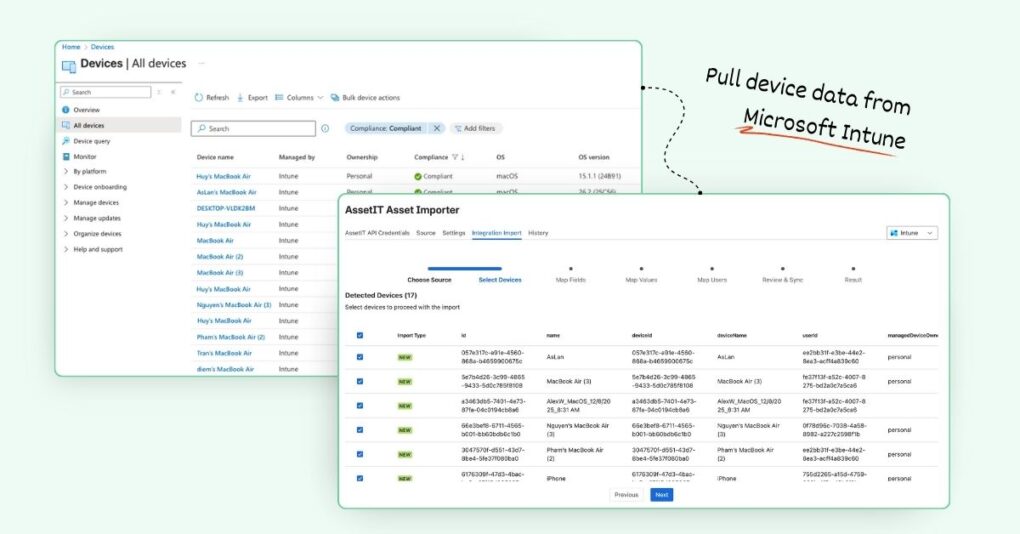
This data is used to create new asset records or update existing ones in AssetIT, flexibly based on the user’s preference.
How AssetIT Asset Importer works in practice
-
Import device data: Asset Importer pulls device data directly from Microsoft Intune into AssetIT, removing the need for manual downloads and uploads.
-
Synchronize existing device inventory: If device records already exist in AssetIT, Asset Importer can sync and update them with the latest data from Microsoft Intune to avoid duplicates.
-
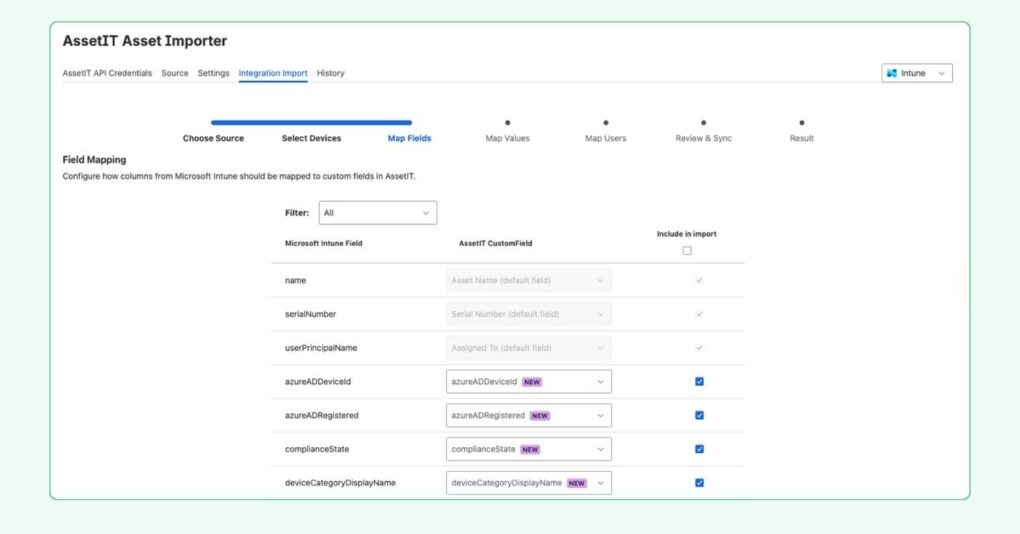
Map fields and values: You can map incoming fields and values to match your existing AssetIT structure, so imported data aligns with how you already manage assets.
-
Track every import run: Asset Importer records every run. You can review imported data, applied mappings, and execution time to stay confident in your data.
How to install Asset Importer
To install AssetIT Asset Importer:
-
Open your browser and navigate to the Atlassian Marketplace.
-
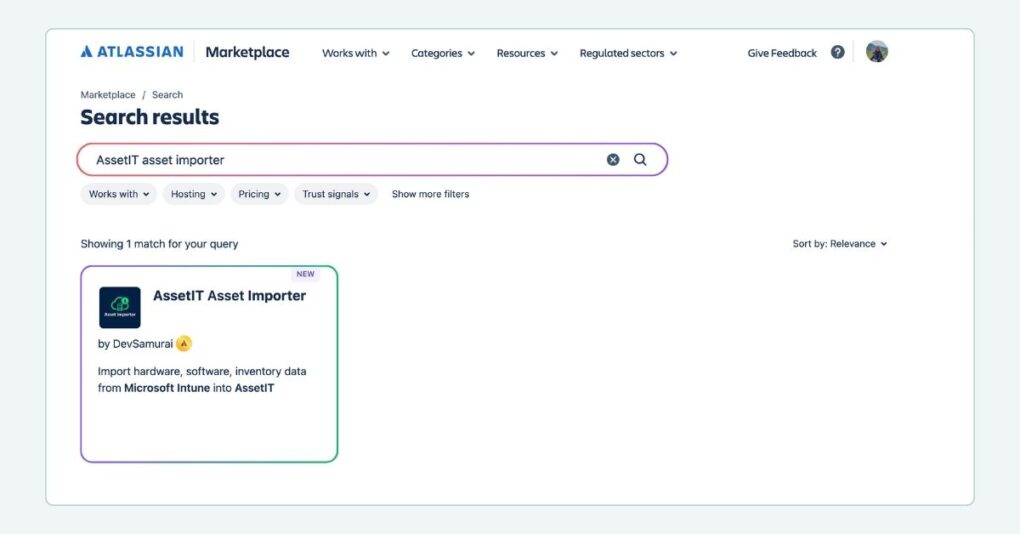
In the search bar, type “AssetIT Asset Importer” and hit enter. Alternatively, you can access this link.
-
Click “Try It Free” to start installing your app.
-
Select the instance that you would like the app to be on, and you’re all set!
Learn more: Connect Asset Importer to Microsoft Intune.
What’s coming next
Microsoft Intune is just the first step. We plan to expand Asset Importer to support additional platforms, including JAMF, Snipe-IT, Microsoft Azure, and more. The direction is clear: make AssetIT the place where asset data from multiple systems comes together, without manual work or switching back and forth.
AssetIT Asset Importer is now available. Install it, connect your system, and let your asset data flow where it belongs.